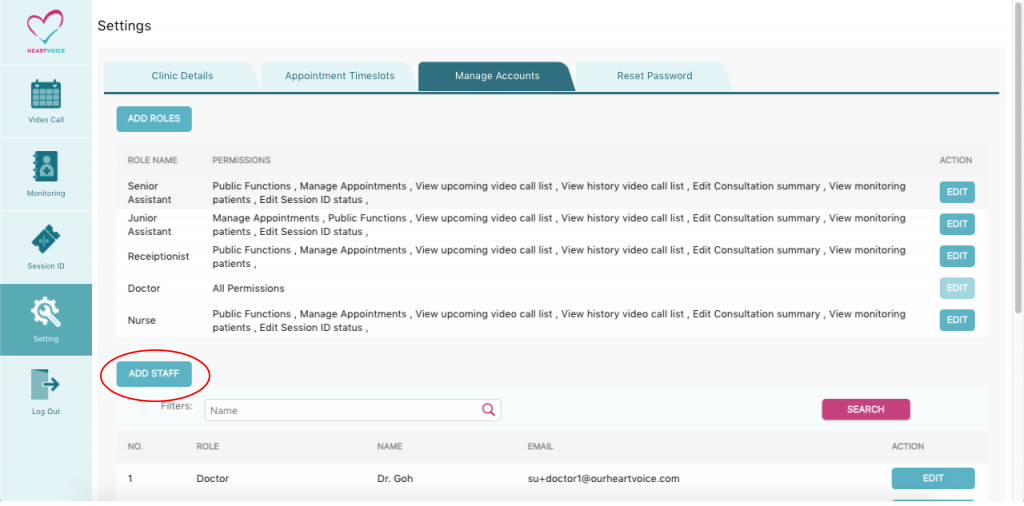
Step 1: Go to “Manage account”
Step 2: Click on “Add Staff”
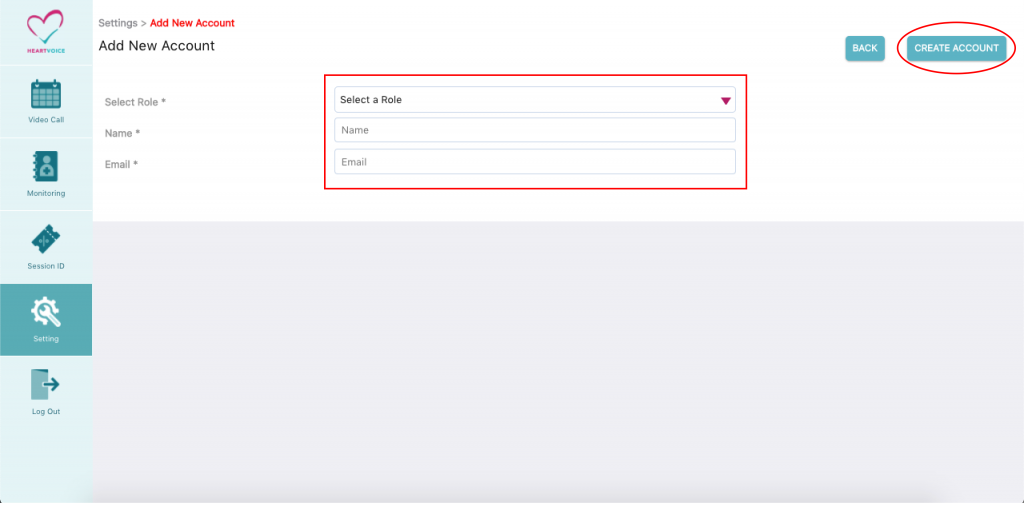
Step 3: Select the role that you have previously created
- Enter Staff name
- Enter Staff’s account email, staff will use this email to login
- Click “Create account”
- Done!
- The staff email will receive a reset password link. Please reset password and login with email and new password.