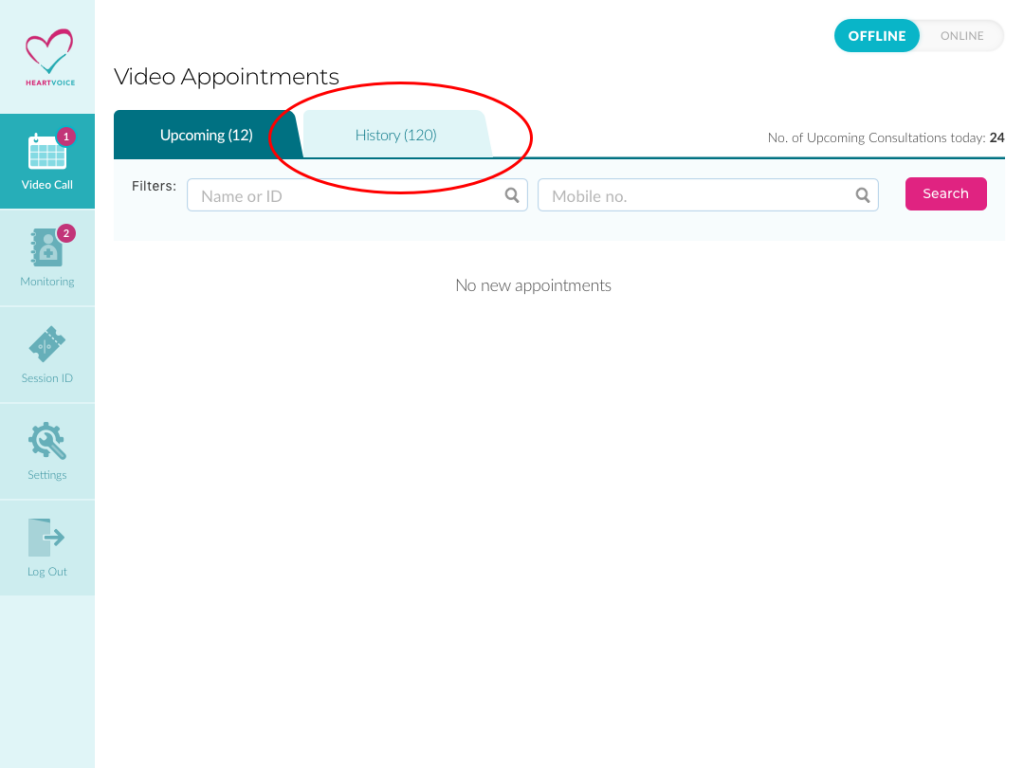
Step 1: Go to Doctor Dashboard
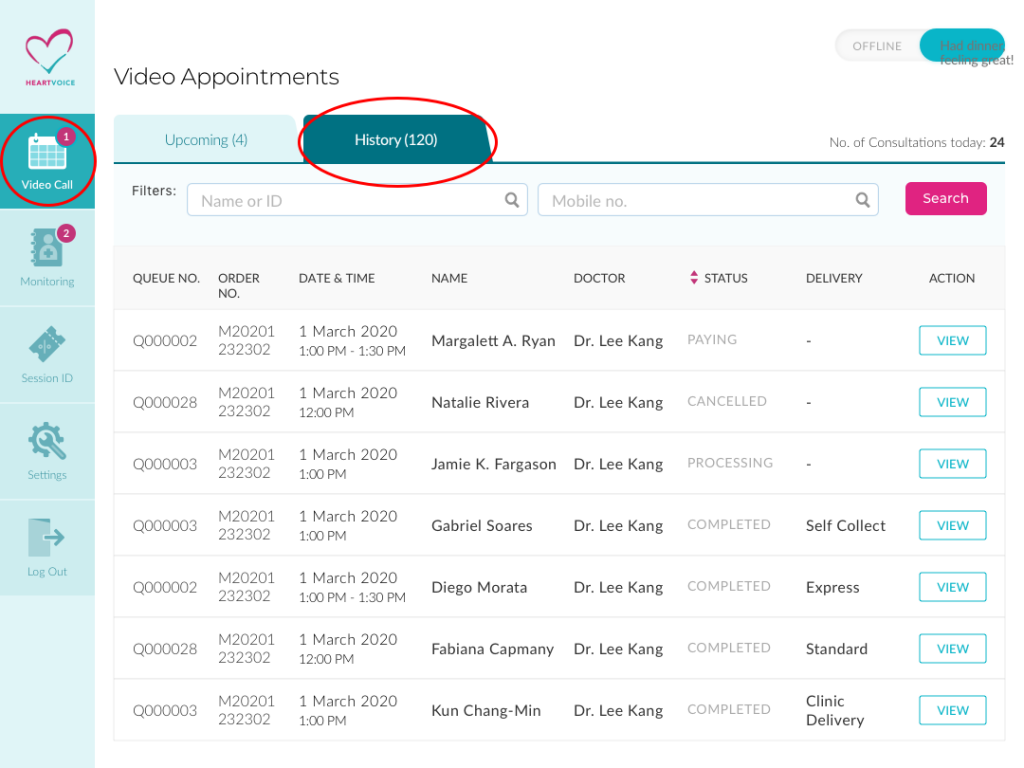
Step 2: Click on “History” tab
There are 3 statuses in the history tab
- Processing:
- Video consultation is complete, pending clinic to complete the consultation summary.
- Paying:
- Consultation summary confirmed and payment link is sent, pending user to make payment.
- Completed:
- Patient has successfully made payment and the entire consultation journey is completed here.
- Cancelled:
- If the patient did not show, the appointment will be cancelled too.
Step 3: Click on the “Processing” appointment
Step 4: Fill in the consultation summary.